The countdown is officially on! MoonBull launches on 4th February, and early supporters have one last chance to strengthen their position before the big day. To celebrate, the LIST200 Launch Bonus is now live, a special reward for the community that’s been with MoonBull from the start and ready to run with the bulls.
This bonus gives participants extra $MOBU tokens, making it the perfect way to maximize your allocation ahead of launch. But it’s only available for a limited time, so if you want to make the most of this opportunity, now is the moment to act.
LIST200 Launch Bonus Activated
The LIST200 bonus code is now active, offering participants an additional $MOBU tokens before the MoonBull launch. This bonus is designed to reward early supporters and give the community a final boost ahead of market entry.
Key Dates & Times:
- Presale Ending: 4th February at 12:00 PM UTC
- DEX Launch: 4th February at 1:00 PM UTC
- Token Claim Opens: 4th February at 2:00 PM UTC
How to Use the LIST200 Bonus Code
Getting started is simple:
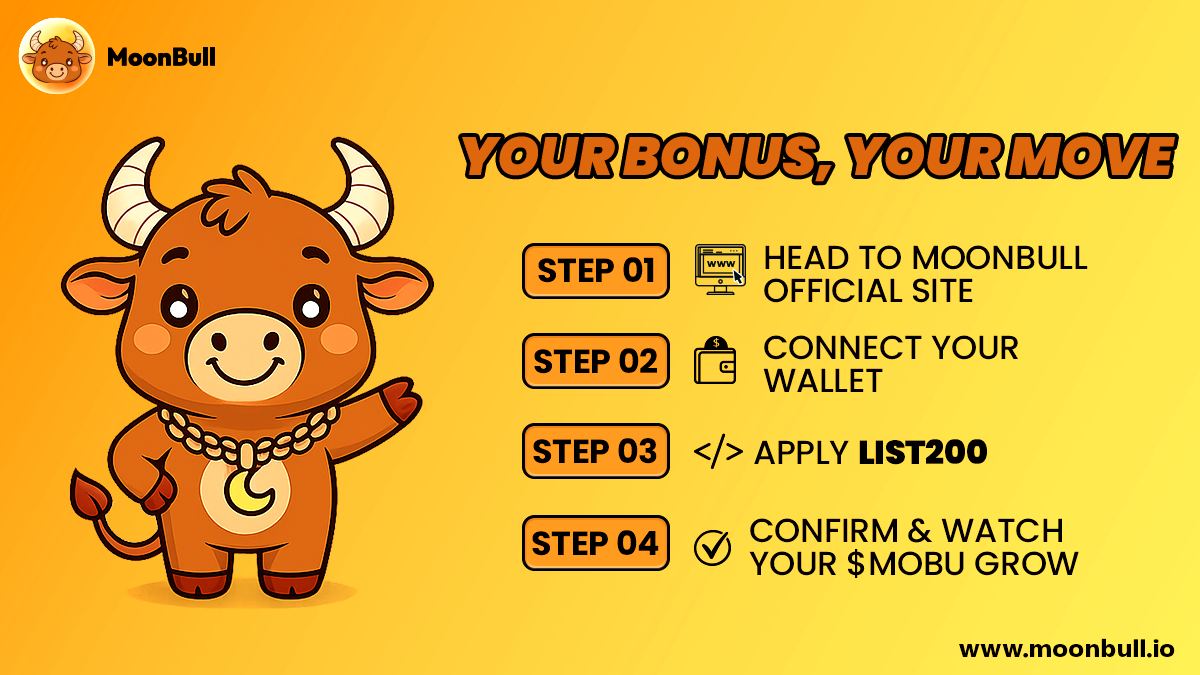
- Visit the official MoonBull website
- Connect your wallet (MetaMask, Trust Wallet, Coinbase Wallet, Phantom, or other supported wallets).
- Enter LIST200 in the bonus code field and apply it.
- Select your desired amount of $MOBU.
- Confirm the transaction and pay the network fee.
- Ensure you have sufficient ETH in your wallet to pay the gas fee when confirming the transaction.
- Your bonus tokens are applied automatically, and your allocation is locked in ahead of launch.
Next Step: Claim Your $MOBU Tokens
On 4th February at 2:00 PM UTC, holders of $MOBU will be able to officially claim their tokens via the MoonBull website. The Claim button will become active at this time, allowing you to securely access your allocation. It’s important to follow the steps carefully to ensure your tokens are correctly added to your wallet without any issues. No matter which wallet you’re using, MetaMask, Coinbase Wallet, Trust Wallet, Phantom, or other supported options, following the instructions below will help you avoid mistakes and claim your $MOBU smoothly.
How to Claim Your $MOBU Tokens:
- Add $MOBU to your wallet following your wallet’s instructions Below
- Click the Claim button and pay the network fee to receive your $MOBU tokens.
- Connect the same wallet you used to participate in the presale.
- Go to the MoonBull website at 2:00 PM UTC on 4th February when the Claim button becomes active.

Step 1: Verify the Official $MOBU Contract Address
Before interacting with your tokens, always confirm you are using the official MoonBull smart contract:
$MOBU Contract Address: 0x0E909a02FaC3D016E88AE9e0B2991645Cd07f0d4
This address is published through MoonBull’s official channels. Never rely on token names alone, always copy and paste the contract address directly. If you are unsure, you can get the $MOBU smart contract via the official community channels or the official MoonBull website.
Add $MOBU to Your Wallet
Claiming MoonBull on MetaMask (Browser & Mobile)
- Open MetaMask and log in.
- Click the "Assets" tab.
- Scroll down and click “Import tokens.”
- Paste the $MOBU smart contract address. (0x0E909a02FaC3D016E88AE9e0B2991645Cd07f0d4)
- The rest (Token Symbol & Decimals) should auto-fill.
- Click “Add Custom Token” → “Import Tokens.”
- Your MoonBull tokens will appear in your wallet!
Claiming $MOBU on Coinbase Wallet
There are two options to claim $MOBU using Coinbase Wallet
Option 1: Let It Appear Automatically
- Open Coinbase Wallet (mobile app or extension).
- Make sure you're on the correct network (e.g., Ethereum).
- Once you claim your MoonBull tokens, they will automatically appear in your Coinbase Wallet address.
Option 2: Add a Custom Token (via Wallet Extension)
This is only available via the Coinbase Wallet browser extension, not the mobile app.
- Open the Coinbase Wallet browser extension.
- Go to the “Assets” tab.
- Scroll down and click “+ Add Token.”
- Paste the MoonBull smart contract address. (0x0E909a02FaC3D016E88AE9e0B2991645Cd07f0d4)
- It should auto-fill the name and symbol (or enter them manually):
- Symbol: MOBU
- Decimals: 18
- Click “Add.”
- Your tokens now show up in your wallet.
Claiming MoonBull on Trust Wallet (Mobile App)
- Open Trust Wallet.
- Tap the Manage crypto at the bottom of your assets (scroll down below on the home page)
- Click the plus icon (top right side)
- Select the correct network (Ethereum).
- Paste the contract address. (0x0E909a02FaC3D016E88AE9e0B2991645Cd07f0d4)
- Fill in:
- Name: MoonBull
- Symbol: MOBU
- Decimals: 18
- Tap “Save.” Done!
Claiming MoonBull on Phantom wallet (Browser Extension & Mobile App)
How to See Your Token in Phantom Wallet:
- Claim your token (follow the claim link or process).
- Open Phantom Wallet.
- The token should automatically appear in your wallet once claimed.
Other Wallets
- Open your wallet.
- Go to “Manage Tokens” or “Add Token.”
- Choose the correct network (Ethereum if it’s an ERC-20).
- Paste the MoonBull smart contract address. (0x0E909a02FaC3D016E88AE9e0B2991645Cd07f0d4)
- Input:
- Token Name: MoonBull
- Symbol: MOBU
- Decimals: 18 (or whatever the official value is)
- Save it — you’ll now see the tokens in your wallet!
How to Ensure Your $MOBU Tokens Appear Smoothly
After claiming, your $MOBU tokens may not appear in your wallet immediately. If this happens, try refreshing your wallet, briefly switching networks (for example, Ethereum → BSC → back to Ethereum), and confirming that you are using the official $MOBU smart contract on the correct network.
Remember, the presale ends on 4th February at 12:00 PM UTC, the DEX listing goes live on 4th February at 1:00 PM UTC, and token claiming opens on 4th February at 2:00 PM UTC. Be ready to secure your allocation as soon as claiming opens.
Join now
Website: https://www.moonbull.io/buy-now/
Twitter: https://x.com/MoonBullX
Telegram: https://t.me/MoonBullCoin
